Plykit

White Background for Product Photos

Cut your product out of a busy photo and put it on pure white for Shopify product pages, Amazon main images and Etsy listings — one photo in, one white-background PNG out, with the product’s own pixels kept.

JPG, PNG or WebP up to 10 MB · downloads as a PNG on pure white (#FFFFFF).

No prompt needed — the cut-out keeps anything touching your product (a cable, a pen cap), so move it away before you shoot.

Credits per photo: 1 (as of 18 Oct 2026)

Images are uploaded and stored to process and deliver results. Do not upload confidential material. This page does not promise immediate deletion.

No photo handy? Try ours:
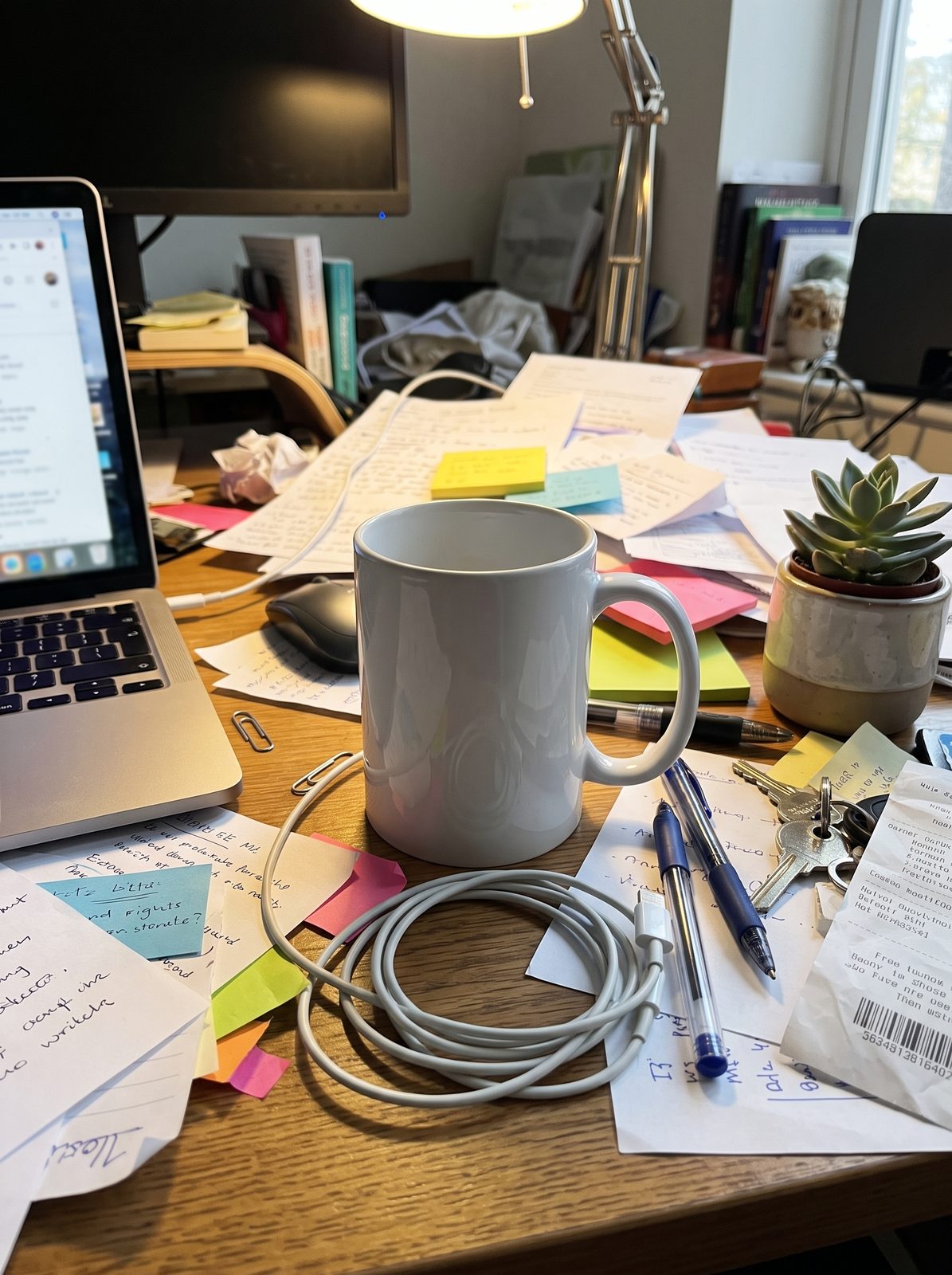
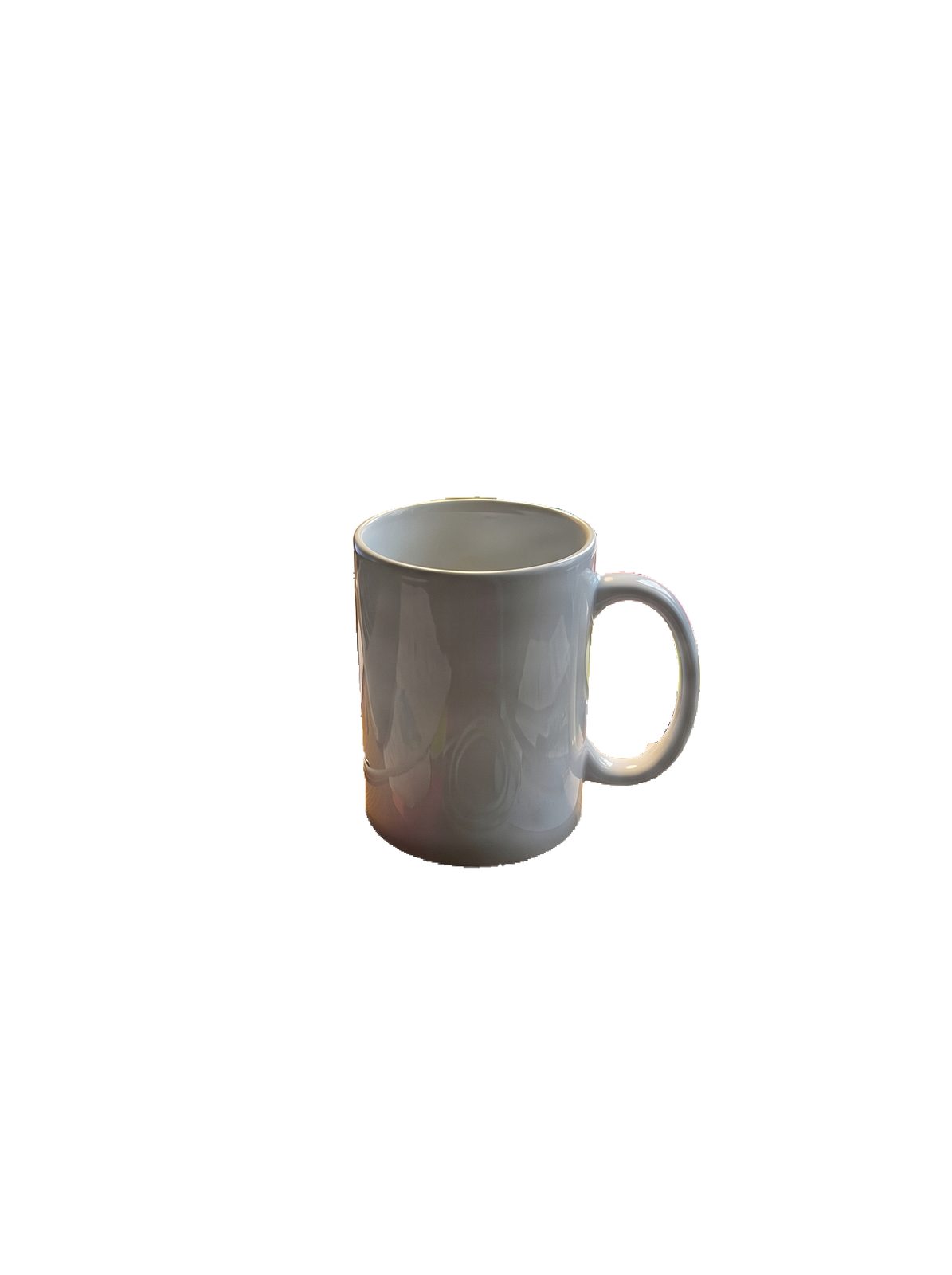
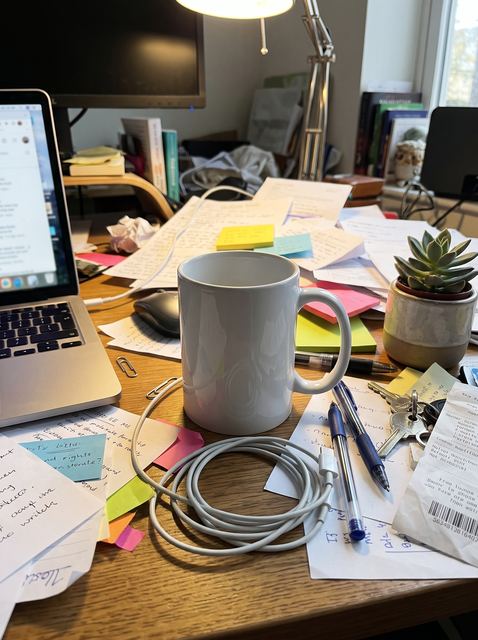
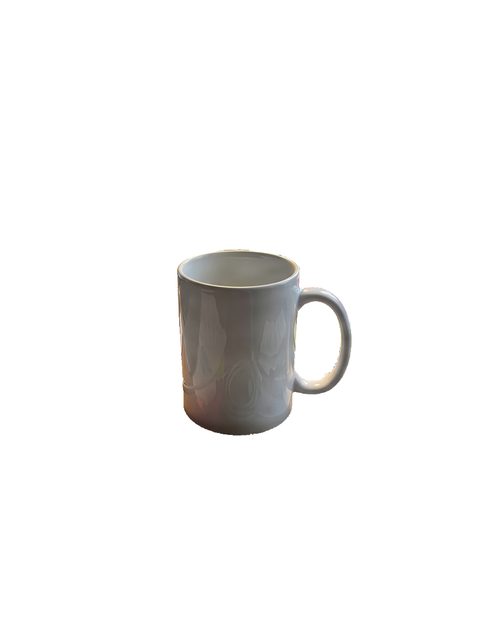
Before: a white mug on a cluttered deskAfter: the same mug cut out on pure white
Drag to compare · our test mug, as shot and on white

Before and after: product photos on white

Drag the slider. Each example says what the cut-out kept and what to check before you upload.

Before: a white mug on a cluttered desk with papers, cables and a laptopAfter: the same mug cut out on a white background
Ceramic mug · busy desk · 3:4

Papers, sticky notes, a charging cable, keys, a plant and a laptop are gone; the mug stays exactly where it was in the photo.

What to check: the glaze still reflects the warm desk light — a cut-out keeps the product’s own pixels, reflections included. And the mug fills only about a third of the frame, so crop before using it as an Amazon main image.

How it was made
  • Bria background removal on fal, then placed on pure white (#FFFFFF). This tool uses a different cut-out, so it is a test run, not a result from this page.
  • 2 tries. The first kept the charging cable and a pen cap as part of the product; the second used a written note naming the mug. This tool doesn’t take a note, so move things that touch the product away before you shoot.
  • Request ID 01a139f4-750f-7523-8249-aecdfc844453
Same photo · cut-out vs AI redraw
Cut-out: the mug in its original size and place on white
Cut-out · this tool
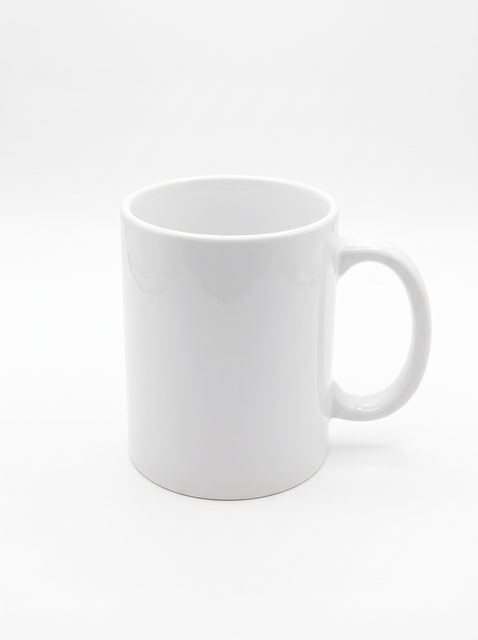
AI redraw: a cleaner, larger mug on a light-grey background
AI redraw · not this tool

A redraw looks cleaner, but it moved and enlarged the mug and left a light-grey background (RGB 240–247), not pure white. A cut-out keeps the product where and how you shot it.

Test runs with the same models Plykit uses, on our own test photos — not customer images. The white background above was cut out with Bria background removal on fal, which is not the cut-out this tool runs, so your results may look different.

Everything you need for white-background product photos

Keeps your product’s own pixelsThe background is cut away and the product isn’t redrawn, so labels and shapes stay as photographed.
Mug on a desk full of papers, cables and a laptop
Clears busy backgroundsPapers, a plant, a laptop — the background goes. Anything touching the product, like a cable, can stay with it, so move it away before you shoot.
White-background mug ready to check against Amazon’s guidance
Puts Amazon’s main image guidance next to your resultSee Amazon’s public guidance on background, product size and zoom below, then check your own image before you list.
The same mug in a short video ad
Ready for the next stepTurn the cut-out into a video ad, or upscale it so shoppers can zoom.

Amazon main image requirements and recommendations

Amazon’s public photo guide recommends a pure white background (RGB 255, 255, 255), the product filling about 85% of the image, and over 1,000 pixels on each side so shoppers can zoom. Every product image must be 500 to 10,000 pixels on its longest side, and JPEG is preferred. The guide gives no fixed aspect ratio. Amazon’s detailed main image rules sit behind a seller login, so check them before you list.From Amazon’s public product photo guide (sell.amazon.com), checked 16 Oct 2026.

RuleAmazon’s public guide saysWhat this tool doesWhat you still do
BackgroundRecommends pure white, RGB 255, 255, 255Puts it on pure white (#FFFFFF) when you download; soft edges blend into the whiteCheck the edges and a corner with a colour picker
Product sizeRecommends the product fills about 85% of the imageKeeps your framing — it doesn’t cropCrop so the product fills the frame — our test mug filled about a third
Image sizeOver 1,000 px on each side for zoom; the longest side must be 500–10,000 pxKeeps your photo’s sizeToo small? Use the image upscaler
File typeJPEG preferred; TIFF, PNG and non-animated GIF acceptedDownloads as PNG, which Amazon accepts—

Source: Amazon — Product photos guide (sell.amazon.com), checked 16 Oct 2026. Amazon’s detailed main image rules are on a Seller Central page that needs a seller login; we haven’t read them.

White background for Shopify product photos

Shopify’s help center says product images can be any size up to 5000 × 5000 px, that a square 2048 × 2048 px image usually displays best, and that files must be under 20 MB. It suggests a consistent aspect ratio for images shown side by side and puts PNG first for most product images, then JPEG. It gives no background colour, so white is your choice. This tool downloads a PNG on pure white at your photo’s size; it doesn’t crop or resize, so square it up yourself if you want 2048 × 2048.From Shopify Help Center, Product media types, checked 18 Oct 2026.

How to put a product on a white background

Upload a photo where the product is in focus, with nothing touching it. Press Create — no prompt needed. Drag the slider to compare before and after, and zoom in on the edges. Then download the PNG, crop it for Amazon, or turn it into a video ad.

  1. A phone photo of a mug on a busy desk
    Step 1

    Upload a product photo

    A phone photo is fine if the product is sharp.

  2. The mug cut out on white
    Step 2

    Press Create

    No prompt needed. The cut-out keeps anything touching your product, like a cable or a pen cap, so move it away before you shoot or use another photo.

  3. Step 3

    Compare, check the edges, download

    Drag the slider, zoom in on the edges, then download the image or turn it into a video ad.

Who puts product photos on white with Plykit

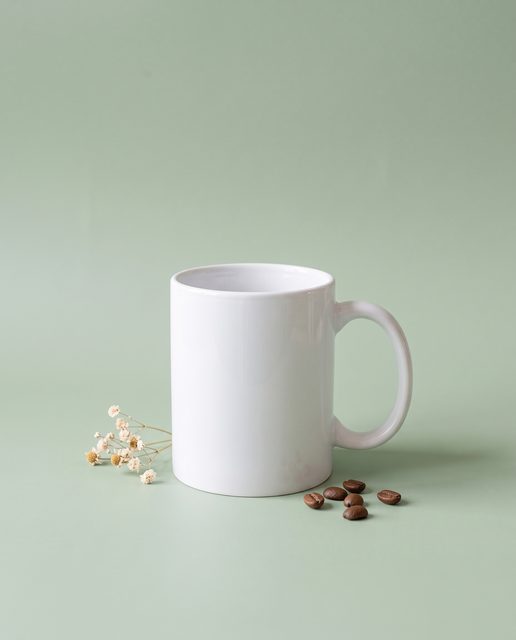
The same mug in a styled shot on a sage-green backdrop
Shopify and DTC stores

Pair a clean shot with a styled one

Use the white version on product pages and a styled shot in ads. Make the styled one

Mug on a white background for an Amazon main image
Amazon sellers

Follow Amazon’s main image guide

Amazon’s photo guide recommends a pure white background and the product filling about 85% of the frame. Cut it out here, then crop tight.

A mug photographed at home on a messy desk
Etsy sellers

Clear the clutter from photos taken at home

Shot on the kitchen table or a busy desk? Keep the product and lose the room.

First frame of a mug video ad
Ad creative

Start a video ad from the cut-out

A clean product photo is the starting point for a short video ad. Make one

What to do with your white-background photo next

Turn it into a video ad

Use the same photo to make a short video ad for Instagram Reels, Facebook, TikTok or Amazon.

Make a video ad

Need a full listing set made for you?

Our team can make an Amazon listing image set for you. Your product is cut out and placed, not redrawn. See what is included, the price and availability on the listing set page.

See the listing set

Transparent PNG instead?

The same cut-out with no background, for your own designs.

Make a transparent PNG

White background FAQ

What is a white background product photo?

It is a product photo with the background replaced by plain white, the usual look for marketplace main images and catalogue pages. Plykit is an AI image and video generator. This tool cuts your product out of the photo you upload and places it on white.

Can I ask for a pure white background?

Yes. When you download, this tool places the cut-out on pure white (RGB 255, 255, 255, #FFFFFF), not a light grey. Soft or see-through edges blend into the white, so check the edges and a corner with a colour picker before you upload.

Will the cut-out be clean?

Usually, when the product is in focus and stands apart from the background. Cables touching the product, see-through glass, chrome and fur are the hardest. There is no prompt to say what to keep: in our test on a busy desk, made with a different cut-out model, the first try kept a charging cable and a pen cap as part of the mug. Move things like that away before you shoot, and zoom in on the edges before you upload.

Will my product look the same?

It stays as you photographed it. The background is cut away and the product’s own pixels are kept, so labels and shapes are not redrawn. That also means reflections stay: our test mug still shows the warm desk light in its glaze. For a cleaner look, reshoot under even light.

Can I use the result as my Amazon main image?

Amazon’s public photo guide recommends a pure white background, the product filling about 85% of the image and over 1,000 pixels on each side for zoom; every product image must be 500–10,000 pixels on its longest side. This tool handles the background and keeps your photo’s size. It doesn’t crop, enlarge or certify your image, so you still crop so the product fills the frame. Amazon’s detailed main image rules need a seller login and we haven’t read them, and Amazon reviews every listing under its own rules.

Is it free?

No. Each photo uses 1 credit (as of 18 Oct 2026). Before generating, check the credit information shown on the page. After you sign in, you can see your balance and recent transactions on your credits page.

Eligible new accounts receive 12 one-time starter credits after verifying their email, and credit packs never expire. See the pricing page for current plans.

Can I do many photos at once?

For now you do them one at a time, and each result is saved in Workspace. If you need a full Amazon listing set made for you, see the listing set page.

Can I use the images commercially?

Paid plans include commercial use of the content you generate. The Free plan is for personal use only. You own the content you generate, and the selected model provider’s terms may impose additional restrictions. See our Terms of Service.

A paid plan means a paid subscription. Buying credit packs alone does not count as a paid plan; if you only buy credit packs, the Free plan rules apply.

These rules apply only to content generated on or after the effective date of the updated Terms of Service. Content generated before that date is not affected.

The plan you have when you submit a generation request decides which rules apply to it. Content generated while you had a paid plan can still be used commercially after your subscription ends, and so can content generated with credit packs bought before the effective date.
Try White Background on Plykit now

Start with one product photo.

Create