E-commerce Ads Studio
AI Ad Generator
Turn one product photo into a 9:16 video ad for Reels and Stories.
One preset: a 5-second silent video made by Kling 3.0 Pro from your photo. Add the photo, check the credits, then generate.
- Meta and Instagram · 9:16
- Kling 3.0 Pro
- 5 s · no sound
- 55 credits
This video uses 55 credits from your balance.
A real example
A Plykit model test on a product photo, not a customer case.
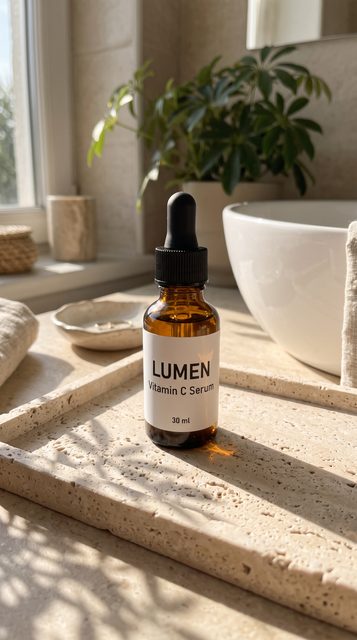
The prompt in this test was different from this page’s preset. The label is mostly readable but wobbles for a moment, so check the full clip before you use a video.
How it works
Add your product photo
Sign in, then add a JPG, PNG or WebP photo. If it isn’t 9:16, choose how to fit it.
Check the credits
The credits for this video are shown next to the Generate button before you press it.
Generate and download
A video can take a few minutes. When it is ready, check it, then download the 5-second 9:16 file.
What this version does
It makes
- One 5-second video per photo, in 9:16.
- Made by Kling 3.0 Pro from your photo, without sound.
- A download of the finished video.
It doesn’t
- Add captions, voice-over or music.
- Make sets of versions to compare. This version makes one video at a time.
- Keep your photo between visits. Add the photo each time.
- Check how your product looks for you. You look at each video yourself.
Frequently asked questions
What does this Studio make?
One video from one product photo: a 5-second, 9:16 video without sound, made by Kling 3.0 Pro. It is a single preset.
How many credits does a video use?
One 5-second video without sound made by Kling 3.0 Pro uses 55 credits. Before generating, check the credits shown on the page. After you sign in, your balance appears next to the Generate button.
Do I need an account?
You need to sign in to upload a photo. You can see the credits for the video without signing in.
What if my photo is not 9:16?
You choose: keep the whole photo and add bars at the sides or top, or fill the frame by cropping the edges. Nothing is stretched. Meta recommends 9:16 for Instagram Reels and Stories. When a video is ready, the page measures it and tells you if it is not 9:16.
Does the video have a watermark?
Some video models add a visible watermark until your account has bought credits. Kling is one of them.
Can I use the video commercially?
Paid plans include commercial use of the content you generate. The Free plan is for personal use only. You own the content you generate, and the selected model provider’s terms may impose additional restrictions. A paid plan means a paid subscription. Buying credit packs alone does not count as a paid plan; if you only buy credit packs, the Free plan rules apply. These rules apply only to content generated on or after the effective date of the updated Terms of Service. Content generated before that date is not affected. The plan you have when you submit a generation request decides which rules apply to it. Content generated while you had a paid plan can still be used commercially after your subscription ends, and so can content generated with credit packs bought before the effective date.
Will my product look and move the same?
Usually close, but not always. AI video can redraw small text, patterns and fine edges. Check each video before you use it, and make it again if it changed your product.
Does the video have sound or captions?
No. The video is silent and has no captions or voice-over. Add sound in the app where you post.