Plykit

AI Video Generator

Turn a prompt or a photo into a 3- to 15-second video with Kling, Seedance and more — up to 4K with Gemini Omni 1.1 Flash, native sound on several models, and vertical clips straight from a 9:16 photo. Try it on Plykit.

Pick a model in the generator above, or open its page:

Background video: Official sample · Google DeepMind (Gemini Omni) · via deepmind.google

See what you can create

One clip per model, from its maker, fal.ai or a community creator, each credited and linked to its source. Each shows the model and the prompt as published. Use a prompt in the generator where the model is available there, or open the model’s page.

Kling 3.0 · Text to video · 10 s · 16:9

A majestic golden eagle with sharp eyes and outstretched wings soars gracefully through a vast red rock canyon, its feathers shimmering subtly under the warm sunlight; the scene captures the bird gliding close to the rocky cliffs and then swooping upward with a powerful beat of its wings, displacing dust and loose feathers; the camera follows with a dynamic drone shot, beginning with a wide-angle establishing view of the canyon before pushing in to a close-up of the eagle’s face mid-flight; the golden-hour lighting casts dramatic side light and edge light on the eagle and canyon walls, highlighting textures and depth; realistic style with a cinematic nature documentary aesthetic.

Community sample · by ⁦@LudovicCreator⁩ on ⁦X⁩ · via x.com
Seedance 2.0 · Text to video · 12 s · 16:9

An octopus finds a football in the ocean and excitedly calls its octopus friends to come and play. Cut scene to an octopus football game under the sea.

Example output · fal.ai (Seedance 2.0) · via fal.ai
Gemini Omni · Text to video · 10 s · 16:9

The video shows items of the alphabet. An unusual item starting with each letter is shown sitting on a table (like a Capybara for C, disco globe for D and Lava Lamp for L). All 26 letters must be represented by 26 items with matching lower thirds displaying the letter. Only one item and lower third at a time. Each lower third must look like a black marker written on a slip of paper in the bottom left. Rapid fire, roughly 9 frames per item at 24FPS. Last frame is a slip of paper "THE END". The whole video is accompanied by calm smooth music.

Official sample · Google DeepMind (Gemini Omni) · via deepmind.google
HappyHorse 1.0 · Image to video · 5 s · 16:9Example output · fal.ai (HappyHorse 1.0) · via fal.ai
Grok Imagine Video 1.5 · Text to video · 6 s · 16:9Example output · fal.ai (Grok Imagine Video 1.5) · via fal.ai
LTX-2.5 Fast · Text to video · 10 s · 16:9Example output · fal.ai (LTX-2.5 Fast) · via fal.ai
Vidu Q1 · Image to video · 5 s · 16:9

The astronaut waved and the camera moved up.

Example output · fal.ai (Vidu Q1) · via fal.ai
Hailuo 2.3 Standard · Image to video · 6 s · 1:1

The space station slowly rotates in orbit, its solar panels tracking the sun. Earth rotates majestically in the background with weather patterns and landmasses drifting by. The station's communication arrays adjust position. A small spacecraft approaches one of the docking ports. The scene captures the silent majesty of space and human engineering.

Example output · fal.ai (Hailuo 2.3 Standard) · via fal.ai

See more: Kling on Plykit · Gallery

Scenes from a written prompt

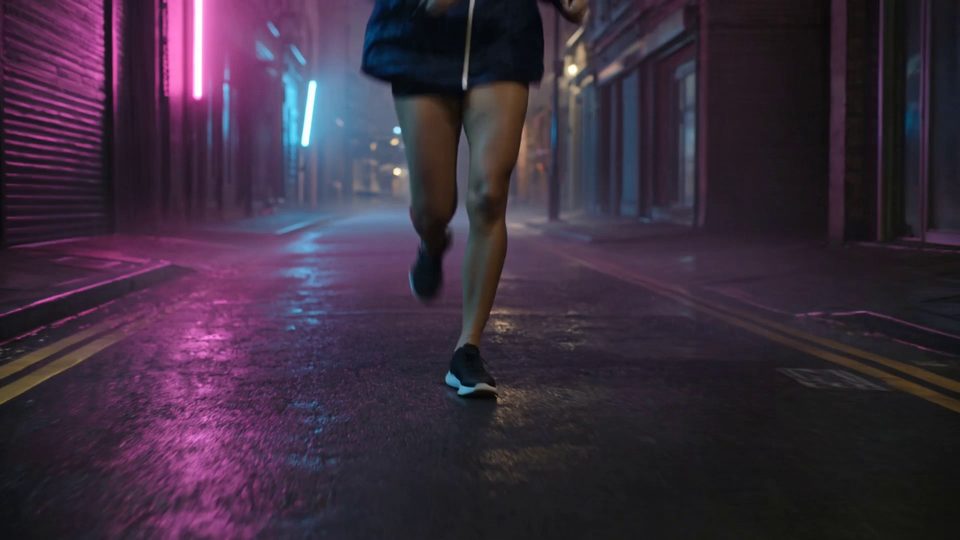
Describe a scene — who is in it, where, the light and how the camera moves — and a text-to-video model makes it from scratch. This 5-second clip came from Kling 3.0 Pro: rain streaks, neon reflections and splashes all came through.

Creators use it for openers, mood shots and B-roll. Name the camera angle you want: we asked for a side tracking shot and got one from the front. Models with sound, such as Kling 3.0 Pro, add audio in the same run.

Prompt · Kling 3.0 Pro · text to video · 16:9 · 5 sCinematic night scene in the rain: a young woman in a dark waterproof running jacket sprints through a narrow neon-lit city street, the camera tracking smoothly alongside her at running speed…

Product photos into video

Start from a photo you already have and an image-to-video model brings it to life. With Kling the clip keeps the shape of your photo, so this 9:16 mug photo became a 9:16 video with the mug's shape, handle and glaze unchanged.

Online sellers use it to give every listing a short clip for TikTok, Reels or a store page. For more photo-to-video options, see Image to video.

Start image: a white mug of coffee on a wooden windowsill
Your photo
Kling 2.5 Turbo · 5 s
PromptSlow, smooth cinematic dolly push-in toward the white mug of hot black coffee on the wooden windowsill. Soft wisps of steam rise from the coffee and curl gently upward…

Label text that stays readable

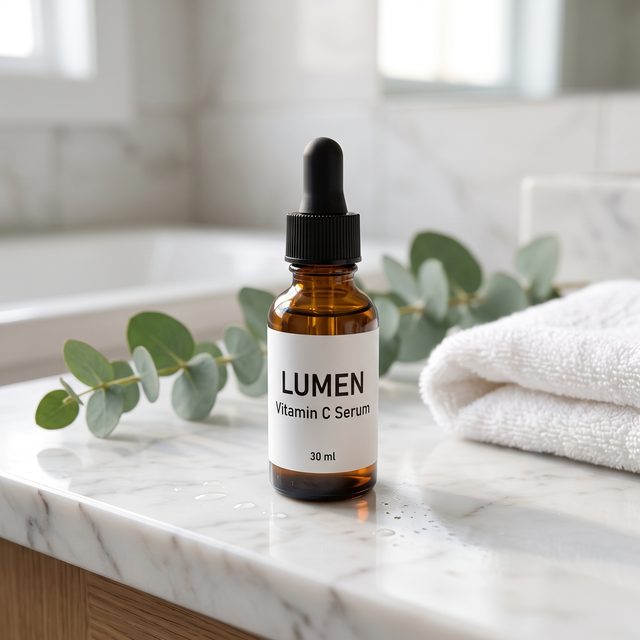
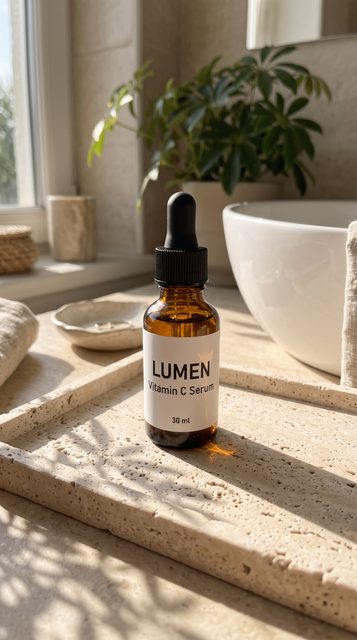
Small text on a product is the first thing to drift when the product moves. On the same photo and prompt, Kling 2.5 Turbo turned “Vitamin C Serum” into “Vitamin C Sermi” once a hand lifted the bottle; Kling 3.0 Pro kept all three label lines readable apart from one brief wobble.

When text matters, the model you pick is part of the job: for products with text that a hand moves, start with Kling 3.0 Pro. This is one run of each on 14 Oct 2026 — a single record, not a success rate.

Start image: amber serum bottle with a white label
Your photo
LUMEN · Vitamin C Serum · 30 ml
Kling 2.5 Turbo
“Serum” became “Sermi”.
Kling 3.0 Pro
Label kept; one wobble at 1.5–2.1 s.
Same photo, same prompt, one run each · 14 Oct 2026A woman’s hand … gently picks up the amber serum bottle by its body, lifts it slightly and slowly rotates it… The label text “LUMEN”, “Vitamin C Serum”, “30 ml” stay exactly the same and legible.

360° product turns

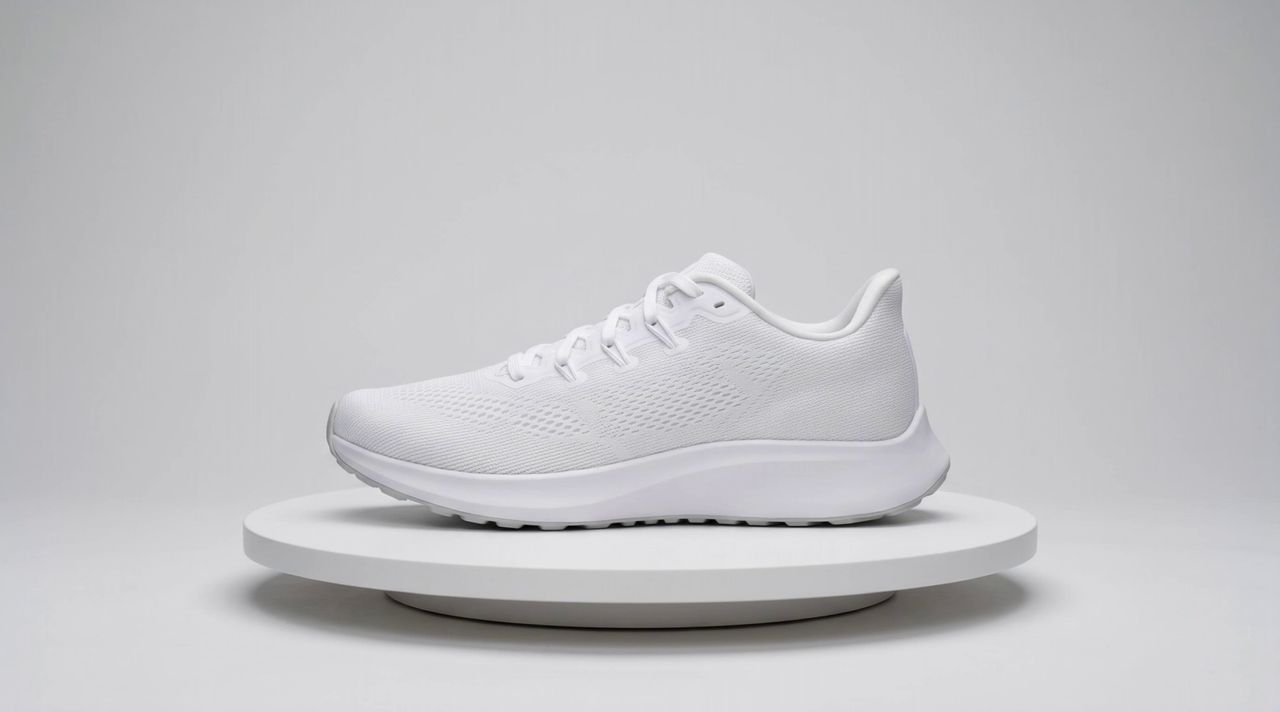
Coming soon On Plykit, 360° turns need an end-frame slot that isn't open yet. This test run was made outside Plykit: put the product on a turntable photo and the model turns it through a full circle, showing sides the photo never had. In this Kling 2.5 Turbo run the start and end frame were the same photo, so the clip loops cleanly.

Good for product pages and marketplace galleries. The model has to imagine the back and the far side — here it added a heel tab that wasn't in the photo — so check every angle before you post. Without an end frame, our first 5-second run only turned about 220°.

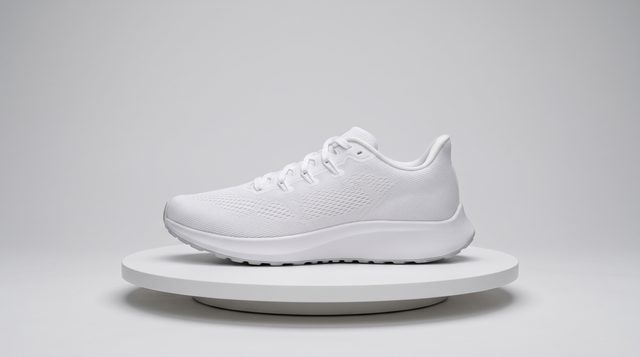
Start and end image: a white running shoe on a turntable
Start = end frame
Kling 2.5 Turbo · 5 s
PromptThe round white turntable rotates at a steady speed through exactly one full 360-degree turn, turning the white running shoe so it is seen from every side…

Pick a video model

Plykit has 9 video model families in one place. Most make 5- to 10-second clips from a prompt or a photo; several add sound, and Seedance 2.0 Pro and Happy Horse 1.0 go up to 15 seconds. Pick by what the clip needs — sound, length, resolution or price. We list models in menu order and don't rank them.

Facts from Plykit's model settings. Credits shown are the current numbers.

Available on Plykit See all 9 video models

Available

Kling

Kling 3.0 Pro · 2.6 Pro · 2.5 Turbo

Makes
Text or image to video
Length
5 or 10 s
Sound
On 3.0 Pro and 2.6 Pro
Credits
23–130 credits

Pick 3.0 Pro, 2.6 Pro or 2.5 Turbo inside the Kling generator.

Open the Kling page
Available

Seedance

Seedance 2.0 Pro · 1.5 Pro

Makes
Text or image to video
Length
4–15 s (1.5 Pro up to 12 s)
Sound
Optional
Credits
10–750 credits
Open the Seedance page
Available

Wan 2.1

Wan 2.1

Makes
Image to video
Length
5 s
Sound
Not listed
Credits
14 credits

Separate from Wan 3.0, which isn't on Plykit yet.

Open the Wan 2.1 page

Not on Plykit yet: Not on Plykit yet Kling 4.0 · Not on Plykit yet Seedance 2.5 · Not on Plykit yet Wan 3.0

Not available to generate: Not available Veo 3.1 (discontinued) · Not available Sora 2 (temporarily unavailable)

New Veo generation is discontinued on Plykit. Try Gemini Omni 1.1 Flash for a new video. Your past Veo results stay accessible.

Compare video models on Plykit

ModelMakesLengthSoundOutputCreditsStatus
KlingKling 3.0 Pro · 2.6 Pro · 2.5 TurboText or image to video5 or 10 sOn 3.0 Pro and 2.6 ProNot listed23–130 creditsAvailable
SeedanceSeedance 2.0 Pro · 1.5 ProText or image to video4–15 s (1.5 Pro up to 12 s)Optional480p–1080p10–750 creditsAvailable
Hailuo 2.3Hailuo 2.3 StandardText to video6 sNot listed768p19 creditsAvailable
Happy Horse 1.0Text or image to video3–15 sYes, always on720p or 1080p40–360 creditsAvailable
Wan 2.1Image to video5 sNot listed480p14 creditsAvailable
Vidu Q1Video from one reference image5 sNot listed16:927 creditsAvailable
LTX 2.5 FastText to video6 sYes720p37 creditsAvailable
Grok Imagine Video 1.5Text to video5 sYes480p27 creditsAvailable
Gemini Omni 1.1 FlashText, up to 7 reference images, or one MP4 to edit (up to 16 MiB and 10 s); no reference audio4–10 sYes, always on720p, 1080p or 4KQuoted before you createAvailable

Listed in menu order, not ranked. Models that aren't available to generate are listed under the cards above.

What people make with AI video

Cinematic night scene made from a text prompt
Creators

Turn a sentence into a cinematic shot

Openers, mood shots and B-roll from a written scene. Start with Kling, or Seedance when you want sound.

Vertical clip of a mug for social media
Social media teams

Post vertical clips every week

Animate photos you already have into 9:16 clips for TikTok, Reels and Shorts.

Serum bottle video for a skincare brand
DTC brands and online sellers

Give every product a video

Start from one product photo and make a short clip for Meta, Instagram or TikTok with Image to video.

Running shoe clip made as a draft
Agencies

Deliver more video drafts per client

Run one brief on several models and send the one the client likes. See plans.

Start from a video template

Ready-made looks and prompts you can adapt to your own photo.

All templates →

How to make an AI video on Plykit

Pick a video model in the generator. Add a photo for image to video, or write a prompt for text to video. Press Create and the clip appears in the generator when it is ready; download it, or try the same prompt on another model.

  1. Step 1

    Pick a model

    Choose by what the clip needs: sound, length, resolution or price.

  2. A photo added as the start image
    Start image added · “slow push-in, steam rising…”
    Step 2

    Add a photo or write a prompt

    A start image makes it image to video. A prompt on its own makes it text to video.

  3. A finished clip ready to download
    Clip ready · Download
    Step 3

    Create and download

    The clip appears in the generator when it is ready. Download it, or run the same prompt on another model.

AI video generator FAQ

What is an AI video generator?

An AI video generator turns a written prompt or a still photo into a short video clip. Plykit is an AI image and video generation platform. You can use video models such as Kling and Seedance in one place, starting from a prompt or your own photo.

Which AI video models can I use on Plykit?

Kling 3.0 Pro / 2.6 Pro / 2.5 Turbo, Seedance 2.0 Pro / 1.5 Pro, Hailuo 2.3 Standard, Happy Horse 1.0, Wan 2.1, Vidu Q1, LTX 2.5 Fast, Grok Imagine Video 1.5, and Gemini Omni 1.1 Flash. The table on this page shows what each one makes and how long its clips are. Kling 4.0 and Seedance 2.5 aren't on Plykit yet. New Veo generation is discontinued on Plykit. Try Gemini Omni 1.1 Flash for a new video.

Can I make AI videos for free?

Videos use credits, and the cost depends on the model and length; it is shown before you press Create. Eligible new accounts receive a one-time free credit grant at signup. Plans and credit packs are on the pricing page.

How long does it take to make an AI video?

It depends on the model, the length and how busy the queue is. In one of our test runs on 14 Oct 2026, a 5-second Kling 3.0 Pro clip took 90 seconds to generate.

What can I make with an AI video generator?

Short scenes from a written prompt, product clips from a photo, and vertical clips for TikTok, Reels and Shorts.

Can I use my own images?

Yes. Add a start image and the model animates it; leave it out and the model works from your prompt alone. With Kling, the clip keeps the shape of your photo, so use a vertical photo for a 9:16 video. Some models, such as Hailuo 2.3 Standard and LTX 2.5 Fast, work from text only.

Can I use AI videos from Plykit commercially?

Paid plans include commercial use of the content you generate. The Free plan is for personal use only. You own the content you generate, and the selected model provider’s terms may impose additional restrictions. See our Terms of Service.

A paid plan means a paid subscription. Buying credit packs alone does not count as a paid plan; if you only buy credit packs, the Free plan rules apply.

These rules apply only to content generated on or after the effective date of the updated Terms of Service. Content generated before that date is not affected.

The plan you have when you submit a generation request decides which rules apply to it. Content generated while you had a paid plan can still be used commercially after your subscription ends, and so can content generated with credit packs bought before the effective date.

Do AI videos from Plykit have a watermark?

Some video models add a visible watermark until your account has bought credits. Check the selected model's output conditions.

Try the AI video generator now

Start from a prompt or a photo.

Create a video